
Picture this: it’s midnight on April 14, and you’re tearing apart drawers, hunting for crumpled receipts from last year’s tips and freelance gigs. Your heart races because tomorrow’s the deadline, and those missing W-2s or 1099s could cost you big. Sound familiar? That tax panic hits millions every year.
You can skip the stress next time. Right now, in March 2026, stay organized for next year’s tax season by setting up a simple system. It saves hours, avoids penalties, and grabs new breaks like tax-free tips up to $12,500 or that bumped-up $40,000 SALT cap from the latest IRS updates.
We’ll walk you through building your tracking setup, grabbing key docs like 1099-DAs for crypto or 1098-VLIs for car loans, picking easy tools such as IRS online accounts or apps, spotting 2026 changes that matter, and dodging common traps. These steps work for anyone, no fancy degree needed. Ready to make 2027 filing a breeze? Let’s start with your basic organization plan.
Build a Simple System to Track Taxes All Year Long
A dedicated tax organization system beats last-minute scrambles every time. It spots deductions early, like home office costs or mileage, and slashes prep time by half. Start now in 2026, and you’ll file smoothly for 2027. Pick digital tools or paper based on your habits. Digital shines with search features; paper avoids tech glitches.
Set up core categories right away: Income for W-2s and 1099s, Deductions for receipts and donations, Investments for brokerage statements. Add a Monthly Reviews folder too. Do a quick 10-minute sort each month to stay ahead. Busy parents love this. Sarah, a mom with two kids and a side hustle, uses it. She snaps gig receipts on her phone, files them weekly, and caught a $1,200 child care credit last year because nothing got lost.
Follow these steps to launch your system today:
- Choose your base: Cloud like Google Drive or binders from the office store.
- Create a main “2026 Taxes” spot with subfolders for each category.
- Test it with last month’s bank statement.
- Back up everything weekly.
This setup prevents forgotten items and uncovers savings, like extra charitable gifts.
Pick Digital Folders or Sturdy Binders That Fit Your Style
Digital wins for speed. Google Drive or Dropbox lets you search “gas receipt July” instantly. Files stay secure with two-factor login, and you access them anywhere. No more lost papers in the couch. Physical binders suit tech skeptics. They never crash during a storm, and flipping pages feels reliable.

Free tools make digital easy. Evernote scans receipts with your phone camera. It grabs details like date and amount automatically. Check Evernote’s tax document scanning guide for tips.
Here’s how to set up digital in five minutes:
- Open Google Drive. Make a folder named “2026 Taxes.”
- Add subfolders: Income, Deductions, Investments, Monthly Reviews.
- Snap a test receipt. Upload and tag it “Deductions – July.”
- Enable auto-backup to another cloud spot.
For binders, grab three sturdy ones. Label spines clearly. Use dividers inside. Punch holes in receipts weekly. Both methods work if you stick to them. Pick what fits your style, then commit.
Set Up Reminders So Nothing Slips Through the Cracks
Reminders keep you on track. Use your phone calendar for key dates. Set alerts for January W-2s and 1099s from employers. Google Alerts pings IRS updates too. Track end-of-year donations in a simple app note.
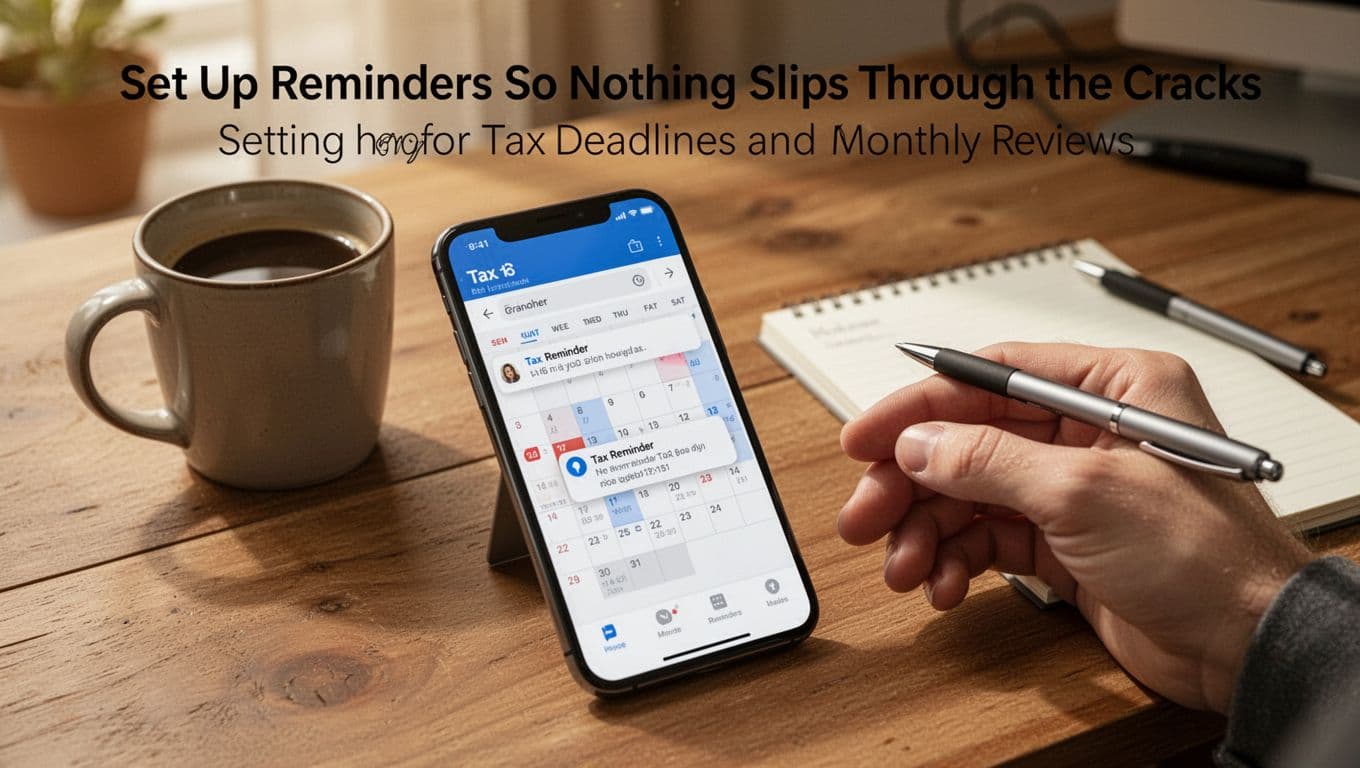
Build a 10-minute monthly habit. At month’s end, sort new items into folders. Match bank statements to categories. This uncovers savings fast, like unreported freelance pay or mileage logs.
Add these to your calendar now:
- First of each month: 10-minute file sort.
- January 31: Check W-2s arrive (IRS tax calendar lists them).
- December 15: Review donations and big buys.
Sarah sets recurring alerts. Her phone buzzes softly, so she never misses a beat. As a result, she found overlooked medical expenses worth $800. Simple reminders turn chaos into control. Start small, and watch your tax organization system pay off.
Hunt Down Every Key Document Before They Pile Up
You built your folders and reminders. Now grab every form before chaos hits. Employers and banks send most by early 2027. Miss one, and refunds shrink or audits loom. Snap photos of receipts right away. Store them in your Income or Deductions folder. This habit boosts accuracy and maximizes your return.
Key forms arrive on tight schedules. Here’s a quick rundown of must-haves, their sources, deadlines, and why they matter. Use this to check off items as they land in your mailbox or online portals.
| Form | From | By When (2027) | Proves | Why Grab It |
|---|---|---|---|---|
| W-2 | Employer | Feb 2 | Wages, tips, withholdings | Matches your job pay; catches errors for bigger refunds |
| 1099-NEC | Freelance clients | Feb 2 | Non-employee pay like gigs | Reports side hustle income; avoids underreporting penalties |
| 1099-MISC | Rent payers, prizes | Feb 2 | Other income | Tracks extras like royalties; ties to total earnings |
| 1099-INT | Banks | Mar 2 (paper) or 31 (electronic) | Interest earned | Shows taxable bank gains; small but adds up |
| 1099-DIV | Brokerages | Mar 2 (paper) or 31 (electronic) | Dividends | Investment payouts; lowers tax bill with qualified ones |
| 1099-R | Retirement plans | Mar 2 (paper) or 31 (electronic) | IRA or pension payouts | Retirement income; flags early withdrawals |
| 1098 | Mortgage lender | Mar 2 (paper) or 31 (electronic) | Home loan interest | Big deduction; saves thousands on Schedule A |
| 5498/5498-SA | IRA or HSA providers | May 31 | Contributions | Proves IRA/HSA deposits; unlocks credits or deductions |
| K-1 | Partnerships, S-corps | Mar/Apr | Business share | Your cut of profits/losses; complex but refund gold |
Download extras from payer portals. Check IRS Publication 1099 instructions for details. Late? Contact them fast.
Income Forms You Cannot Miss
Income docs form your tax base. Start with W-2 from jobs. It lists salary, tips (now tax-free up to $12,500), and taxes paid. Freelancers get 1099-NEC for gigs over $600. One client paid Sarah $5,000 last year; she filed it and claimed expenses.
Banks send 1099-INT for interest over $10, like $50 from savings. Investments trigger 1099-DIV or 1099-MISC for rents. Store digitally: scan and tag “Income – 1099-INT BankX Jan.” Shred originals after. This setup spots mismatches early, so you claim every dollar.
Proofs for Big Deductions and Credits
Deductions slash your bill. 1098 proves mortgage interest, often $10,000 plus. Homeowners deduct it on Schedule A. Charitable receipts back gifts over $250; keep church notes or online confirms. Snap photos at events.
Medical bills over 7.5% of income need proof: HSA 5498-SA or bills. Home office? Log square footage and bills if self-employed. Track SALT like property taxes up to the $40,000 cap. K-1s prove business losses.
Stash these in Deductions. For example, Sarah’s $2,000 donations plus medical docs added $1,500 to her refund. Act now; pile them up later, and savings vanish.
Tap Into Free IRS Tools and Apps That Make Organizing Easy
Why chase papers when free IRS tools handle the heavy lifting? These official resources, plus smart apps, sort your info fast. They cut errors, tweak withholdings, and prep you for e-filing refunds in weeks. Best part: zero cost if your income fits. Start today, and your 2027 taxes flow smoother. You already track docs; now automate the rest.
IRS Resources That Cost Nothing and Work Great
IRS builds tools for everyday folks like you. They answer questions, adjust paychecks, and guide filing. No software buys needed.
First, grab the Tax Withholding Estimator. It checks if your W-4 pulls enough from paychecks. Enter recent stubs, plus life shifts like marriage or a new kid. The tool spits out tweaks, so you avoid big bills or lost refunds. Sarah ran it after her second child; she upped allowances and pocketed an extra $1,200. Update anytime in 2026 for job changes.
Next, try the Interactive Tax Assistant for quick yes-no answers. Wonder if marriage changes your status? Or kids qualify for credits? It walks you through step by step. Results match IRS rules exactly.
Don’t forget IRS Free File if your 2026 adjusted gross income stays under $89,000. Partners like TaxAct or FreeTaxUSA guide you through forms. It handles federal and often state returns. E-file speeds refunds to 21 days. Over the limit? Use fillable forms instead. All secure, no upsells.
These save hours because they pull real IRS data. Log in now; gather stubs first.
Apps That Scan and Sort Your Receipts Automatically
Apps beat shoeboxes every time. They snap pics, categorize spends, and export to tax software. Pick ones like Expensify, Mint, or QuickBooks Self-Employed as solid picks over Receipt Hog.
Expensify shines for freelancers. Snap a receipt; it grabs date, amount, and vendor via OCR. Auto-sorts into deductions like mileage or supplies.
Quick setup takes two minutes:
- Download from your app store.
- Sign up with email; link bank optional.
- Snap a test receipt. Edit tags if needed.
- Export CSV for TurboTax at year-end.
Pros include cloud backup and mileage GPS tracking. It flags business vs. personal spends, so math errors drop.
Mint tracks everything in one spot. Link accounts; it auto-tags groceries or gas. Set rules for tax buckets.
Steps to start:
- Create free account at mint.com.
- Connect banks and cards.
- Review auto-categories; tweak for taxes.
- Run monthly reports.
It reminds you of deductions, like unreimbursed miles.
QuickBooks Self-Employed suits side hustles. Schedule rides; it logs miles at IRS rates. Receipts sort to Schedule C.
Benefits stack up: e-file exports, audit-proof logs, less manual entry. Sarah switched to Expensify; her refunds grew because nothing hid. These apps integrate with your folders, so organization clicks. Test one this week.
Prepare for 2026 Tax Changes That Boost Your Savings
Great news awaits in 2026. Tax rules shift to put more cash back in your pocket. Standard deductions jump higher, so you subtract more from income without receipts. The SALT cap rises to $40,400 for itemizers, and estate exemptions hit $15 million per person. These changes mean bigger refunds if you track them now. Your folders from earlier catch every break. Imagine high-fiving over extra savings, just like this couple.

Start by noting your filing status. Single or married filing separately? Married filing jointly? Head of household? Each sets your base deduction. Most folks grab the standard one because it skips paperwork. However, compare it to itemized totals at year-end. A tax pro helps decide.
Bigger Standard Deductions Mean More Money Back
Standard deductions grow for 2026, thanks to inflation tweaks. Singles or married filing separately now claim $16,100, up from $15,000. Married couples filing jointly get $32,200, a bump from $30,000. Head of household filers reach $24,150. Add-ons apply if you’re 65 or older: $1,650 per spouse for joint returns, or $2,050 for singles.
These boosts help everyday workers most. No itemizing needed, so renters, young families, and wage earners win big. For example, a single parent earning $60,000 subtracts $16,100 right away. That drops taxable income fast. Seniors stack extras, even if itemizing. Check 2026 Tax Brackets and Federal Income Tax Rates for full details.
Track basics in your Deductions folder. Life changes like marriage shift your status, so update W-4s now. As a result, you avoid overpaying all year. Excitement builds because this simple math pads your refund.
New SALT Rules Open Doors for Homeowners
Homeowners cheer the SALT cap hike to $40,400 in 2026, up slightly from $40,000. It covers state income taxes and property taxes, but not both. You must itemize to use it. Full cap applies if your modified adjusted gross income stays under $505,000. Above that, it phases down by 30 cents per dollar over, but never below $10,000.
This opens doors in high-tax states like New York or California. Track every property tax bill and state payment in your system. Snap photos of escrow statements or 1098 forms. For instance, a family with $25,000 in taxes deducts it all now.

Here’s a quick phase-out view:
| MAGI Level | SALT Cap |
|---|---|
| Under $505,000 | $40,400 |
| $545,000 example | $28,400 |
| Very high | Minimum $10,000 |
See IRS changes for 2026 SALT rules for more. Log these in Monthly Reviews. Therefore, you claim the max when filing. Consult a pro to weigh standard versus itemizing, especially with estates at $15 million exemptions. Your organization unlocks these wins.
Skip These Traps That Cost Taxpayers Big Time
Even with solid folders and apps in place, simple slip-ups drain your wallet. You might skip a W-4 tweak after a new baby, forget to update your address during a move, or miss payments despite an extension. These errors trigger penalties up to 25% of what you owe, plus interest. However, quick fixes keep you safe. Review your setup now, and you’ll dodge big hits come 2027.
Why Updating Your W-4 Stops Surprise Bills
Life shifts like marriage or a raise change your tax picture fast. If you don’t update your W-4, your employer withholds the wrong amount. As a result, you face a huge April bill or tiny refund. Sarah learned this after her promotion; old settings left her owing $2,000. Don’t wait.
Use the IRS Tax Withholding Estimator first. It matches your paychecks to expected taxes.
Follow these steps to adjust:
- Grab pay stubs and last year’s return.
- Enter details online: income, dependents, deductions.
- Print the new W-4 or fill it digitally.
- Give it to HR; changes start next pay.
For precise tweaks, try the W-4 Withholding Calculator. It handles 2026 rates like the $16,100 single deduction. Update after big changes, because accurate withholding means no shocks. Busy folks save thousands this way.

Handle Moves and Extensions Without Penalties
Moves create chaos if you ignore them. The IRS, your boss, and Social Security need your new address, or forms go missing. Use Form 8822 to notify the IRS. Tell your employer too, so W-2s arrive on time. Update SSA online at ssa.gov.
Extensions help if you’re short on time. File Form 4868 by April 15, 2027, for an automatic push to October 15. However, pay what you estimate by April 15. Late payment hits 0.5% per month, up to 25%. No reason needed; e-file free via NerdWallet’s guide.
Quick steps for Form 4868:
- Estimate taxes owed from your folders.
- Pay via IRS Direct Pay or check.
- Fill lines 4-7: name, SSN, amount paid.
- Submit online or mail by deadline.
Double-check returns before sending. Forgetting deductions like mileage buries savings. Pay estimates quarterly if self-employed. In short, organized people spot these traps early and get refunds faster.
Conclusion
You now hold the keys to a foolproof tax organization system. Set up your folders, snag those key docs like W-2s and 1099s, tap IRS tools and apps, prep for 2026 changes such as bigger standard deductions, and dodge traps like outdated W-4s. As a result, your tax season organization tips for 2027 lock in bigger refunds without the midnight scramble.
Picture April 2027: you sip coffee, hit submit, and watch refunds roll in within weeks. No more lost receipts or surprise bills. Because you started simple today, stress vanishes.
Grab a folder or app right now. Spend 15 minutes sorting last month’s receipts. Share these tips with friends so they skip the panic too. You’ve got this!